The CTET Admit Card is one of the most crucial documents for candidates preparing for the Central Teacher Eligibility Test (CTET). Whether you’re a first-time applicant or a returning candidate, understanding how to access and verify your admit card can help you avoid last-minute stress. This guide walks you through everything — from downloading to troubleshooting — with easy-to-follow, DIY-style steps.
What Is the CTET Admit Card and Why It Matters?
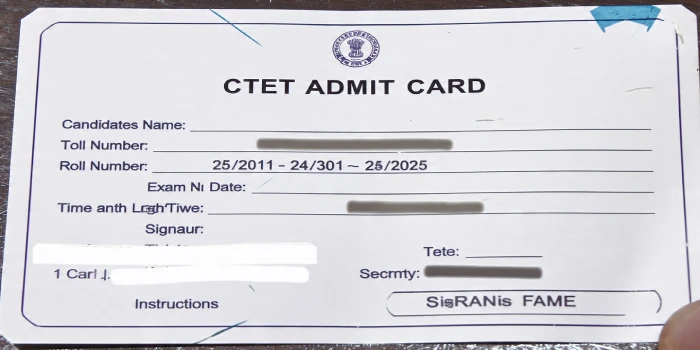
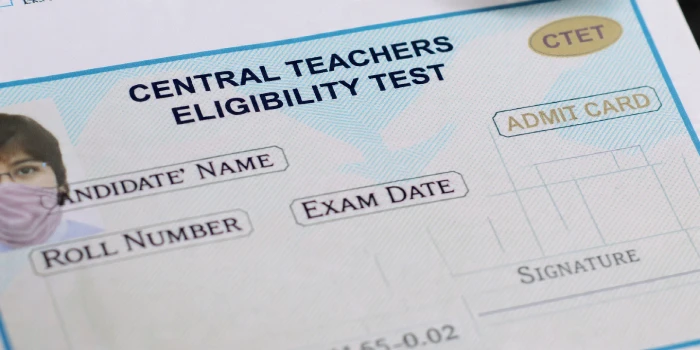
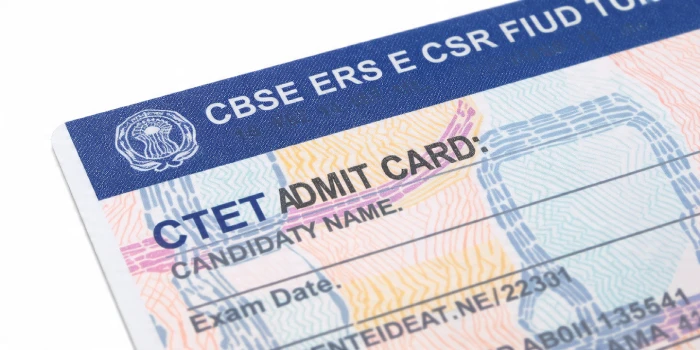
The CTET Admit Card serves as your official permission slip to enter the examination hall. Issued by the Central Board of Secondary Education (CBSE), it contains your exam center, roll number, timing, and other vital details. Without it, no candidate will be allowed to appear for the test. That’s why downloading it early and verifying all details is essential.
Important Dates for CTET Admit Card 2025
Before you start, make sure you know the official release and exam dates. Typically, the admit card is released two weeks before the examination on the official website — ctet.nic.in.
Here’s a DIY checklist to keep track of:
- CTET Admit Card Release Date: Expected in June 2025
- CTET Exam Date: Likely in July 2025
- Correction Window (if applicable): Within 3 days after the release
Mark these dates on your calendar or set reminders on your phone to ensure you don’t miss the download window.
Step-by-Step Process to Download CTET Admit Card
Follow this simple DIY guide to download your CTET Admit Card 2025 quickly:
- Visit the official CTET website: Go to https://ctet.nic.in.
- Click on the link: Look for “Download CTET Admit Card 2025” on the homepage.
- Enter your credentials: Fill in your Application Number, Date of Birth, and Security PIN.
- Submit and verify: Click on “Submit” to display your admit card.
- Download and print: Save a copy on your device and take at least two printouts for exam day.
Pro Tip: Always use a desktop or laptop for downloading. Mobile browsers may not display the admit card properly.
If you’re also preparing for other exams, you can check the latest updates and detailed OSSC CGL Syllabus for complete preparation guidance.
Details to Check on Your CTET Admit Card
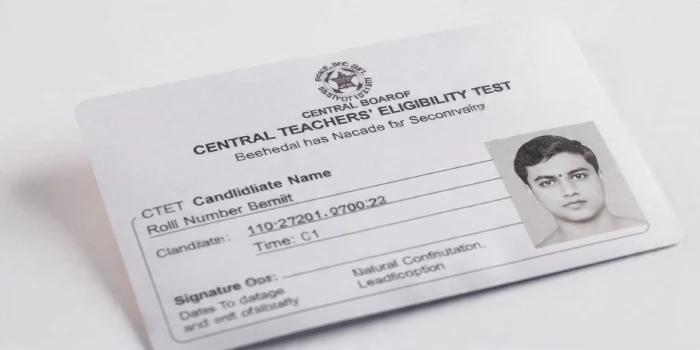
After downloading, go through the details carefully. Small errors can cause big issues later. Verify the following:
- Candidate’s Name and Roll Number
- Father’s and Mother’s Name
- Exam Center Name and Address
- Exam Date and Timing
- Subject Paper (Paper I or Paper II)
- Category and Gender
- Photograph and Signature
If you find any errors, report them immediately using the CTET correction portal or contact CBSE helpline numbers.
DIY Troubleshooting: Issues While Downloading CTET Admit Card
Sometimes, candidates face issues accessing their admit card. Here’s what you can try:
- Page not loading: Try clearing your browser cache or using incognito mode.
- Forgot application number: Retrieve it from the “Forgot Application Number” link on the CTET portal.
- Incorrect details: Double-check the date of birth format (DD/MM/YYYY).
- Server errors: Download during off-peak hours, like early morning or late evening.
If the problem persists, contact the CBSE CTET support desk through email or helpline numbers listed on the website.
Documents to Carry Along with CTET Admit Card
Along with the CTET Admit Card, candidates must carry one original photo ID proof. Here’s a quick list of acceptable IDs:
- Aadhaar Card
- PAN Card
- Voter ID
- Passport
- Driving License
Also, carry two recent passport-size photographs identical to those uploaded during registration.
Exam Day Instructions for CTET Candidates
On the day of the exam, organization and timing are everything. Follow these tips for a smooth experience:
- Arrive early: Reach the exam center at least 90 minutes before the reporting time.
- Check items: Carry only necessary documents — admit card, photo ID, and a transparent water bottle.
- Stationery: Use only blue or black ballpoint pens.
- Avoid prohibited items: Electronic devices, notes, watches, and calculators are not allowed.
- Follow guidelines: Cooperate with invigilators during verification and seating.
DIY Preparation Tips Before Exam Day
While downloading your CTET Admit Card, it’s also a great time to review your preparation strategy. Try these quick DIY tips:
- Revisit the CTET syllabus and focus on weak sections.
- Solve previous year question papers to improve speed and accuracy.
- Practice mock tests online to simulate exam conditions.
- Keep your admit card, ID proofs, and stationery organized a day before.
FAQs
When will the CTET Admit Card 2025 be released?
The CTET Admit Card is expected to be released around two weeks before the exam, most likely in June 2025.
What should I do if I lose my admit card?
You can re-download it anytime from the official website using your application number and date of birth.
Can I change my exam center after the admit card is issued?
No, once the CTET Admit Card is released, the exam center cannot be changed.
Is a digital copy of the admit card accepted at the exam center?
No, you must carry a printed copy of the admit card along with a valid photo ID.