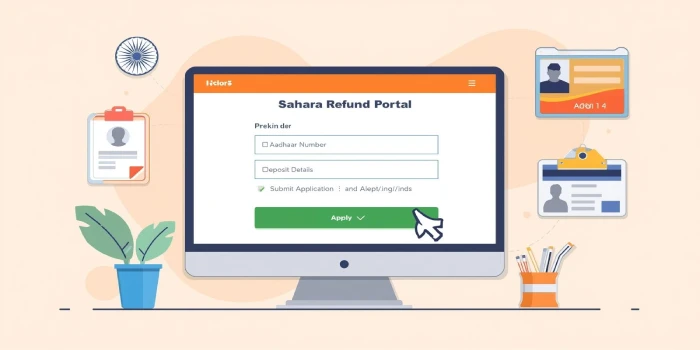
The CRCS Sahara Refund Portal login is a crucial platform launched by the Government of India to help millions of Sahara Group depositors reclaim their hard-earned money. Managed by the Ministry of Cooperation, this online portal streamlines the refund process, ensuring transparency and ease of access for eligible investors.
If you’re one of the Sahara India investors waiting for your refund, this detailed article will guide you through everything — from portal login and registration to checking your Sahara refund status online.
What Is the CRCS Sahara Refund Portal?
The CRCS Sahara Refund Portal (https://mocrefund.crcs.gov.in) was launched under the direction of the Central Registrar of Cooperative Societies (CRCS). Its purpose is to enable legitimate depositors of Sahara Group cooperative societies to claim their refunds securely online.
This initiative follows the Supreme Court’s order to return investors’ money, ensuring accountability and digital transparency in the process.

Objectives of the Portal
- Simplify Refund Process – Offer an easy, online system for Sahara investors to submit refund requests.
- Ensure Transparency – Track and verify claims digitally, avoiding manual discrepancies.
- Faster Settlements – Process verified claims efficiently.
- Accessibility – Allow users from across India to log in and apply without visiting Sahara offices.

How to Access CRCS Sahara Refund Portal Login?
Follow these simple steps to log in to your account and begin the refund process:
- Visit the Official Portal:
Go to https://mocrefund.crcs.gov.in. - Click on ‘Depositor Login’
This will open the CRCS Sahara Refund Portal login page. - Enter Required Details:
- Aadhaar number linked with your Sahara account.
- Mobile number linked with Aadhaar.
- Verify with OTP:
You’ll receive an OTP on your registered mobile number. Enter it to log in securely. - Access Your Dashboard:
Once logged in, you can view claim forms, application status, and refund updates.

Steps to Apply for Sahara Refund Online
Once you have logged into the portal, you can apply for a refund by following these steps:
- Upload KYC Documents:
Provide your Aadhaar, PAN, and Sahara passbook details. - Fill the Refund Application Form:
Enter your deposit details, such as membership number, deposit amount, and certificate number. - Submit Bank Details:
Enter the bank account number linked to your Aadhaar for secure fund transfer. - Upload Supporting Proof:
Attach scanned copies of relevant deposit receipts and passbook pages. - Final Submission:
After verifying all details, click on Submit. You’ll receive an acknowledgment receipt for reference.
How to Check Sahara Refund Status Online?
After submitting your claim, you can track your refund progress:
- Visit the CRCS Sahara Refund Portal homepage.
- Log in using your registered Aadhaar and OTP.
- Go to “Refund Status” or “Application Tracking”.
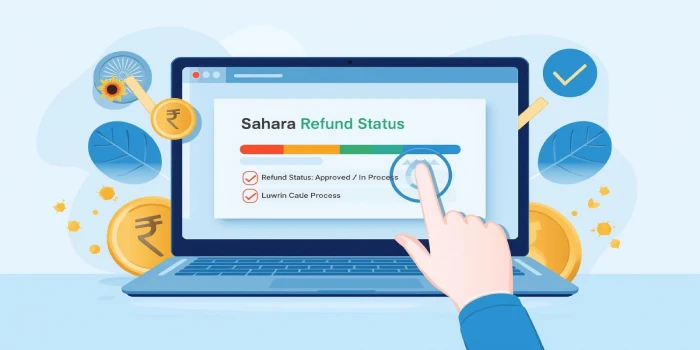
- Your Sahara refund status check online will display whether your claim is under verification, approved, or refunded.
Key Documents Required
To complete the CRCS Sahara Refund Portal Login application successfully, keep the following documents ready:
- Aadhaar Card (linked with mobile and bank)
- PAN Card
- Original Sahara Deposit Certificate or Passbook
- Bank Account Details (linked with Aadhaar)
- Passport-size photo (optional but recommended)
Important Guidelines for Depositors
- Only deposits made in Sahara cooperative societies are eligible.
- The Aadhaar-linked bank account is mandatory.
- Ensure your Aadhaar is linked with both your bank account and mobile number.
- Avoid multiple submissions — one application per depositor is allowed initially.
- Keep a record of your acknowledgment number for future tracking.
CRCS Sahara Refund – Societies Covered
Currently, the refund process applies to depositors of the following Sahara Group cooperative societies:
- Sahara Credit Cooperative Society Ltd.
- Saharayan Universal Multipurpose Society Ltd.
- Humara India Credit Cooperative Society Ltd.
- Stars Multipurpose Cooperative Society Ltd.
Depositors from these societies can use the Sahara refund portal online apply option to submit their claims.
CRCS Sahara Refund Progress
The Ministry of Cooperation, in coordination with CRCS, has begun processing refund claims in phases. Initially, small investors are prioritized — especially those with deposits up to ₹10,000. As the system verifies records, larger refunds will follow in subsequent phases.
Depositors are advised to log in regularly and check their Sahara refund status online for real-time updates.
Benefits of Using the Sahara Refund Portal Online
- Transparent System: Direct government oversight ensures reliability.
- Easy Accessibility: No need to visit physical offices.
- Secure Data Handling: Aadhaar-based verification ensures data privacy.
- Digital Refunds: Funds are transferred directly to bank accounts.
- Time-Efficient: Paperless and hassle-free refund process.
Common Issues and Solutions
Issue 1: OTP Not Received
- Ensure your mobile is linked to Aadhaar and has network coverage.
Issue 2: Documents Not Uploading
- Use updated browsers like Chrome or Edge and ensure file size is under 2 MB.
Issue 3: Application Rejected
- Verify if deposit details match Sahara records. Reapply with correct data.
FAQs
How can I log in to the CRCS Sahara Refund Portal?
Visit the official portal https://mocrefund.crcs.gov.in, enter your Aadhaar and registered mobile number, verify through OTP, and access your dashboard.
Is it safe to use the CRCS Sahara Refund Portal login?
Yes, it’s completely secure. The portal is managed by the Ministry of Cooperation, Government of India, ensuring data protection and transparency.
How do I check my CRCS Sahara refund status online?
Log in to your account, go to “Refund Status,” and you can view your application’s current stage — pending, verified, or refunded.
How can I apply through Sahara refund portal online apply?
After logging in, click on the “Apply for Refund” section, fill in your details, upload documents, and submit the form. You’ll receive an acknowledgment receipt instantly.